Teach the Way You Want. Anytime. Anywhere.
Create courses that suit your style, at your convenience. Design, manage, and deliver personalized courses effortlessly—your teaching, your way.
Get Started
Create courses that suit your style, at your convenience. Design, manage, and deliver personalized courses effortlessly—your teaching, your way.
Get Started




With Networsys LMS, you get customizable web and mobile apps that put the power of learning and management in your hands. Whether you are an instructor managing courses or a learner accessing content on the go, our apps are designed to offer flexibility and ease of use.
Keep track of every course your learners are currently enrolled in—whether it’s a short certification or a long-term program. This software gives you a centralized view of course names, enrollment dates, and current progress percentages. It helps both admins and learners stay informed and organized without switching tabs or platforms. Everything auto-updates as learners complete modules or assessments. Admins can also monitor which courses are most popular or need revision based on engagement stats. With snapshots, you can instantly know who is learning what—and how far they've reached.
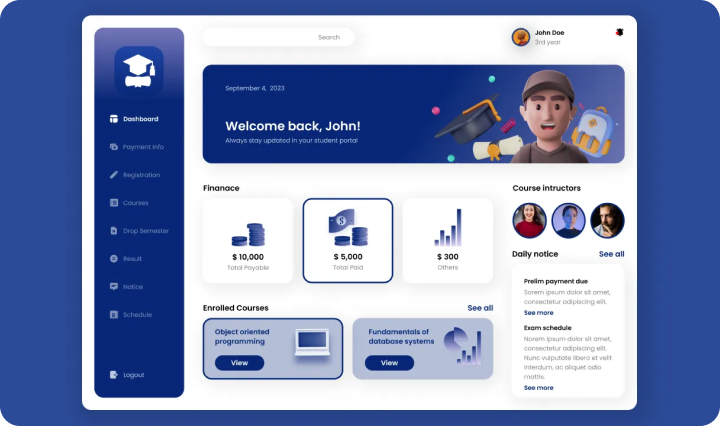
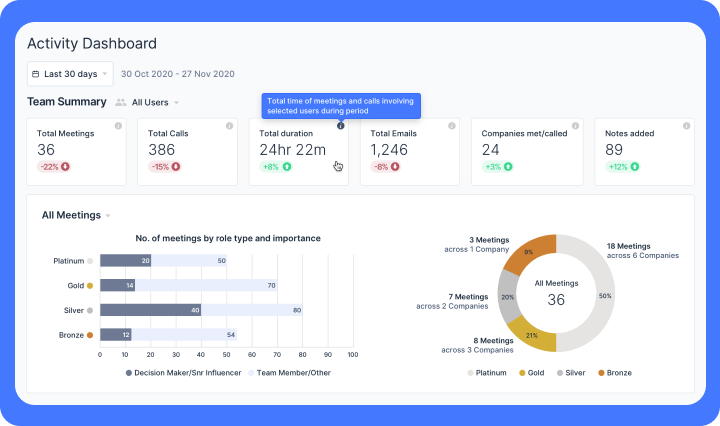
Get insights into the total time learners are dedicating to each course or task. This feature captures the hours spent on learning materials, quizzes, and assignments in real time. It helps trainers understand learner dedication and identify those who may need motivation or support. Managers can also use this data to ensure that learning goals align with employee schedules and productivity. This feature supports performance reviews and L&D optimization. In short, it brings transparency and measurable value to every learning session.
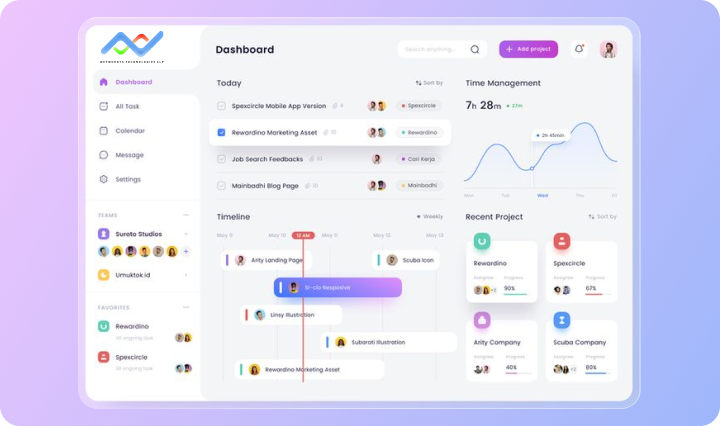
This feature functions as a smart task planner inside your LMS. It displays upcoming tasks, assignments, pending approvals, or learning milestones—sorted by priority or deadline. It helps both learners and admins stay on top of their responsibilities without manual tracking. Learners can mark tasks as complete, set reminders, and never miss deadlines again. Trainers can use this card to push custom to-do lists for specific users or teams. It’s the digital assistant that keeps learning structured and consistent.
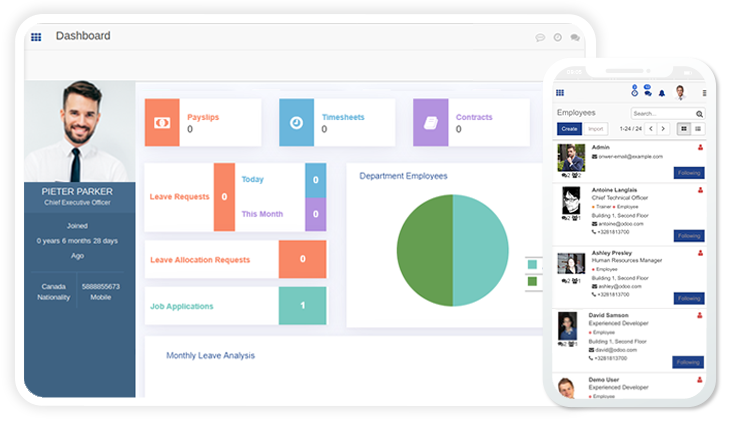
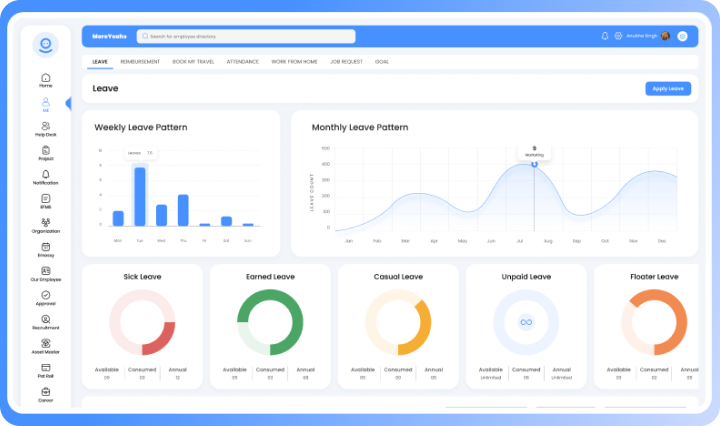
This feature simplifies internal leave management by allowing learners or employees to request time off directly from the dashboard. Whether it’s sick leave, vacation, or personal days, all requests are logged and tracked here. Approvals and rejections are shown in real-time with notifications. It reduces paperwork and communication gaps between learners and HR. It includes filters like leave type, date range, and status. It’s seamless, fast, and fully integrated into the LMS experience.
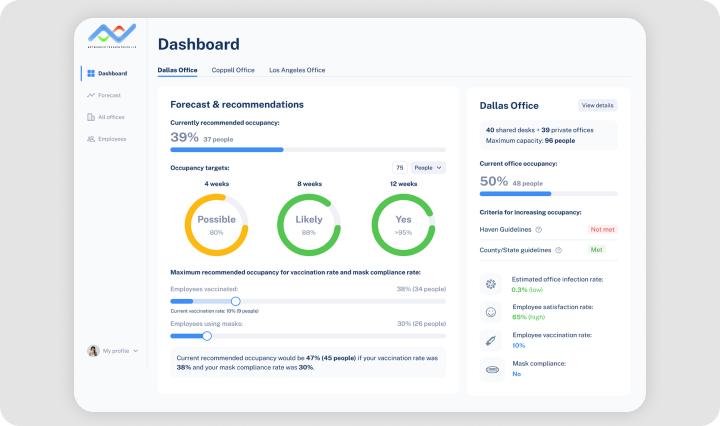
Monitor performance like never before with real-time progress bars, score analytics, and completion rates—all shown in one simple view. This enables instructors and team leads to evaluate learners based on assessment scores, feedback, attendance, and time spent. The insights help identify top performers and those needing attention. You can also generate personalized feedback or next steps for learners right from this section. Performance trends can be exported for reporting or one-on-one reviews. It’s your virtual evaluator and progress coach rolled into one.
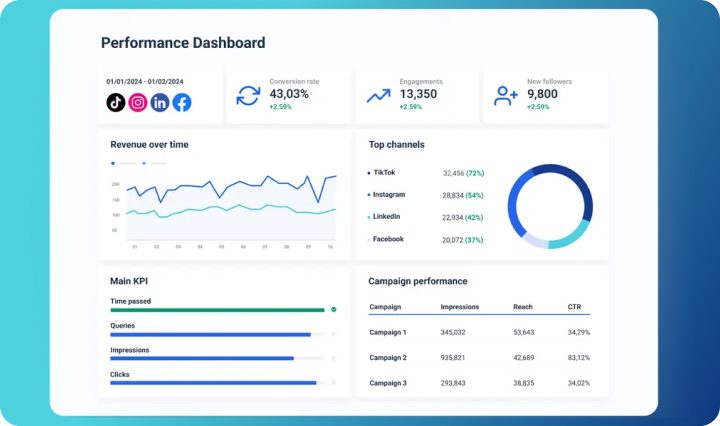
Gain clarity on how different departments or teams are performing in their training journey. It displays team-wise learner engagement, course completion rates, and overall productivity metrics. Managers can drill down to see who’s behind or ahead in their learning goals. It helps in planning team-specific training interventions or rewards. This feature acts as a bird’s eye view for organizational learning health. It ensures that your company’s L&D strategy aligns with departmental growth.
Easily tailor your courses to suit different learning styles, skill levels, and teaching preferences.
Enable your students to access lessons on any device, anytime—mobile, tablet, or desktop.

Manage permissions for different users like admins, co-instructors, and learners with ease.
Built-in automation ensures students meet milestones and receive instant certifications.

Track learner engagement, quiz results, and course completion in a single dashboard.
Foster collaboration, peer learning, and open feedback through integrated forums.
Empower your team, students, or customers with a platform designed to make learning simple, engaging, and accessible—anytime, anywhere. With a user-friendly interface and robust features, Networsys LMS helps you create, manage, and scale training programs effortlessly.
Say goodbye to scattered tools and complex systems. Our LMS brings everything under one roof—course creation, student tracking, assessments, and performance analytics.
Quick Setup
Get started in just a few minutes—no tech skills needed. Our easy sign-up and onboarding guide you step-by-step. You can begin teaching right after logging in. Less time setting up, more time teaching.
Flexible Scheduler
Plan lessons, schedule live classes, or upload anytime. The timetable adapts to your teaching pace and goals. Automate reminders so students never miss a session. Total control over your teaching calendar.

Game Builder
Make learning fun with quizzes, polls, and games. Gamify lessons to boost participation and memory. Easily create interactive content—no coding required. Turn every class into a fun learning challenge.

Course Editor
Design beautiful courses with drag-and-drop ease. Add videos, images, docs, and audio—everything fits. Structure lessons your way, with complete flexibility. Multimedia-rich, engaging courses in minutes.
Extra Helpers
Invite co-teachers and TAs to manage your class. Assign roles to divide work and speed up tasks. Perfect for group teaching or large batches. More support, less workload, better results.
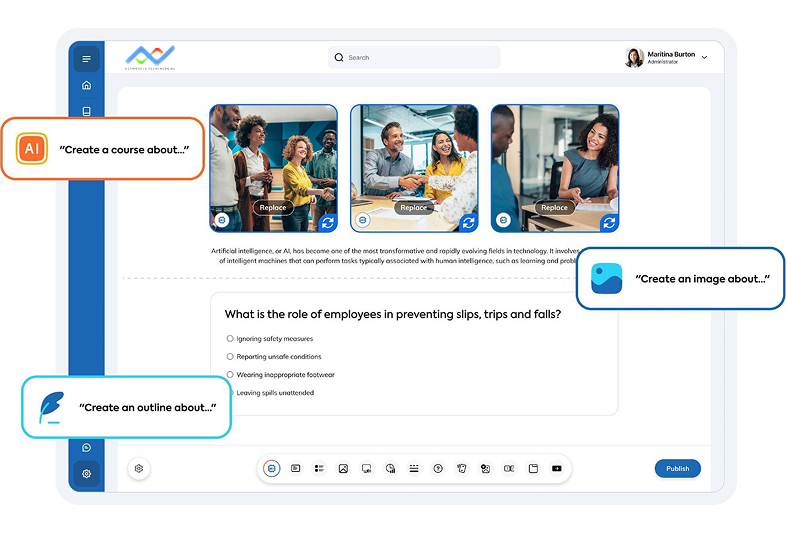
Create smart, interactive courses in seconds with Networsys LMS powered by AI. Whether it's a training video, quiz, or a full course—just type your topic and let AI do the heavy lifting. From content suggestions to quiz generation and auto-formatting, we make course creation faster, smarter, and easier than ever.
We’re proud to be consistently rated among the top Learning Management Systems of 2025 by leading tech reviewers and educational platforms.
You can view enrolled courses, progress, upcoming deadlines, notifications, and overall performance in one place.
Yes! You can personalize widgets and rearrange sections based on what matters most to you.
Simply upload your files directly from the assignment window. You’ll receive confirmation once it’s submitted.
Our LMS supports all major formats like PDF, DOC, PPT, and media files like MP4, JPEG, and PNG.
You can re-upload before the deadline. After that, it’s locked for review.
Yes, schedules can be synced with external calendars for easy planning and reminders.