Our Partner



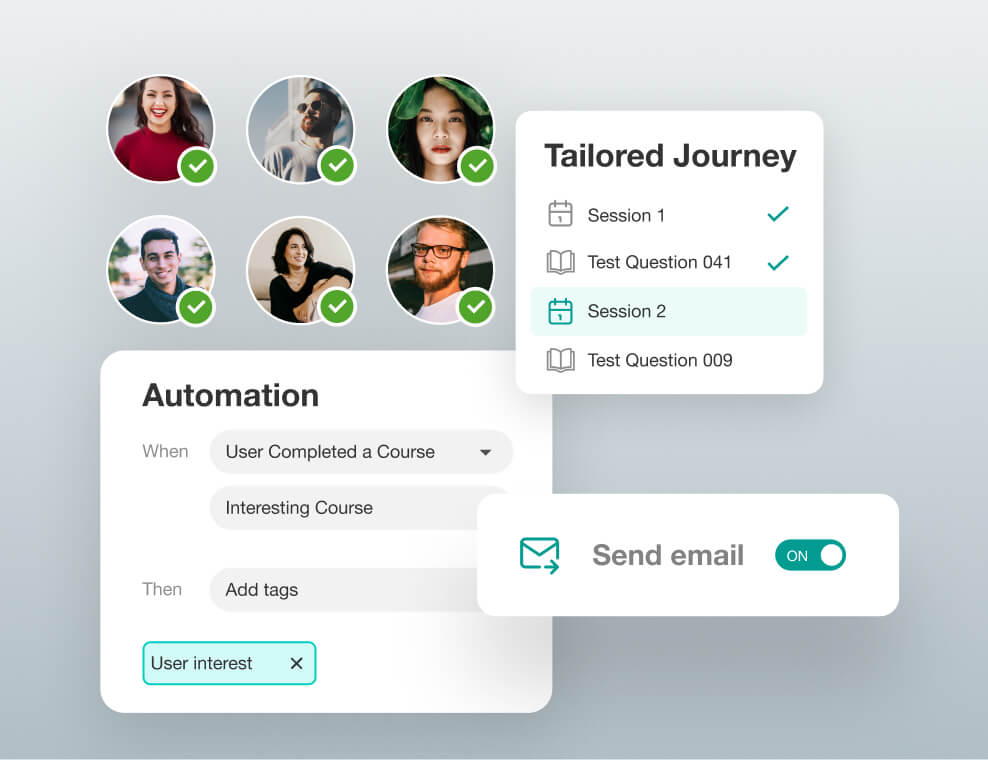
Create intelligent training flows that respond to user actions — without writing a single line of code. From onboarding to upskilling, automate every step to save time and scale faster. Set rules once and watch your LMS work for you 24/7.
Design adaptive workflows that trigger emails, quizzes, or certifications based on learner behavior. Reach the right people at the right time with personalized nudges and reminders. Engagement goes up, and drop-offs go down — all on autopilot.
Control how learners interact with content at every milestone. From progress tracking to conditional module access, everything can be tailored. Offer a seamless, intuitive experience that feels made just for them.

Easily create and manage your courses with a drag-and-drop builder. Add text, videos, quizzes, and assignments without coding. Go live with just a few clicks. Perfect for educators of all tech levels.
Offer live sessions, recorded videos, or a mix of both. Let learners choose what suits their pace and time. Supports batch scheduling and automated reminders. Ideal for remote, hybrid, or in-class setups.

Tailor content based on each learner’s speed or performance. Set milestones, skill levels, and goal-based tracks. Boost engagement with custom journeys. Makes learning effective and student-centric.
Get instant insights on learner progress and activity. Monitor attendance, quiz scores, and time spent. Track performance with interactive dashboards. Enable timely interventions when needed.

Assign different access levels to admins, teachers, TAs, and students. Each role sees only what they need. Simplifies management and improves security. Supports collaboration and smooth workflow.
Keep learners engaged with quizzes, polls, and media. Embed videos, audio clips, and documents seamlessly. Gamify lessons with instant feedback and scoring. Turn passive learning into active participation.
Auto-generate certificates upon course completion. Customize with name, date, and branding. Track training compliance for audits and reports. Stay always ready for inspections or verifications.
Built with end-to-end SSL encryption for safe data transfer. Compliant with global privacy and security standards. Protects student data and course content. Gives you peace of mind while teaching online.
Offer accessibility and inclusivity for global learners with customizable interfaces and multilingual support. Our LMS platform allows users to choose their preferred language, ensuring comfort and clarity for every learner. With a variety of regional and international languages supported, no learner feels left out. The system also remembers user preferences for a seamless experience every time they log in. From dashboard personalization to language-specific content delivery, every detail is user-centric. Inclusivity extends beyond language—font sizes, layouts, and accessibility options are adjustable too. Ideal for organizations with diverse teams or global operations looking to centralize learning. This empowers learners to focus on what truly matters—learning, growth, and success.
Book Demo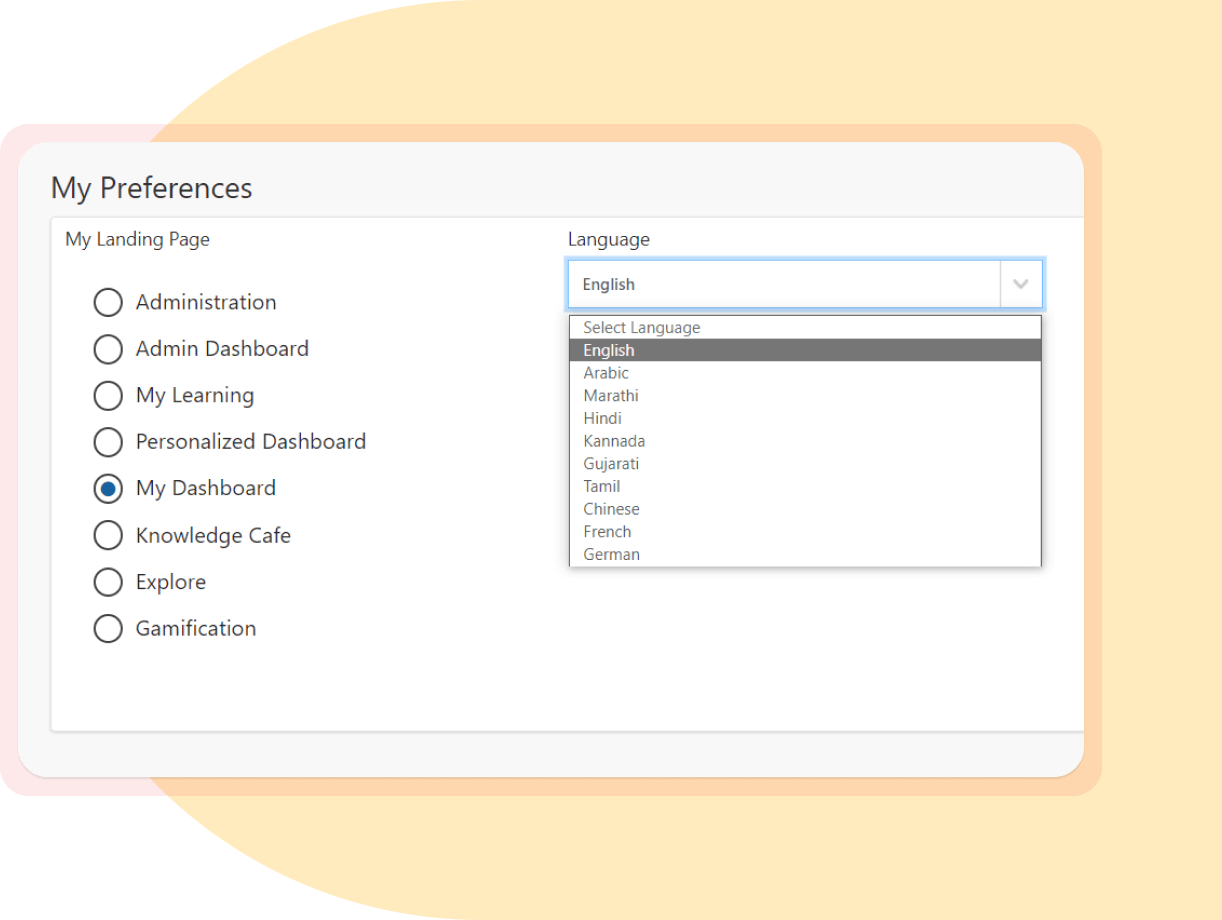
You can view enrolled courses, progress, upcoming deadlines, notifications, and overall performance in one place.
Yes! You can personalize widgets and rearrange sections based on what matters most to you.
Simply upload your files directly from the assignment window. You’ll receive confirmation once it’s submitted.
Our LMS supports all major formats like PDF, DOC, PPT, and media files like MP4, JPEG, and PNG.
You can re-upload before the deadline. After that, it’s locked for review.
Yes, schedules can be synced with external calendars for easy planning and reminders.